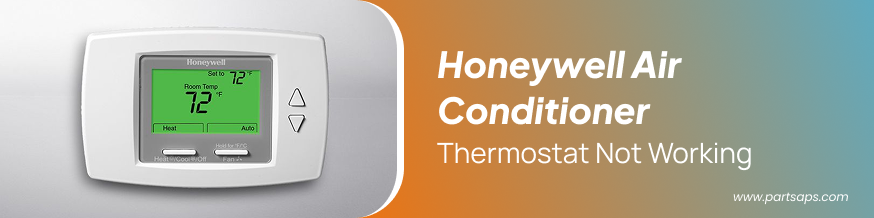
Honeywell Air Conditioner Thermostat Not Working
When your Honeywell air conditioner thermostat is not working, it can disrupt comfort at home or business. Since the thermostat acts as the “brain” of your HVAC system, any malfunction directly impacts cooling efficiency. Many homeowners and technicians rely on quality HVAC Parts and Accessories from trusted suppliers like PartsAPS to restore functionality and avoid costly replacements. Whether you’re buying from an HVAC Supply store or troubleshooting the issue yourself, understanding the root causes and solutions is the first step toward reliable cooling performance.
Why Honeywell Thermostat Problems Occur
A Honeywell thermostat is designed for durability, but just like any electronic device, it can face issues over time. Here are the most common reasons it may stop working:
- Software Glitches: Some advanced Honeywell models use smart technology. Outdated firmware or connectivity issues may cause temporary malfunctions.
- Sensor Malfunctions: Honeywell thermostats rely on temperature sensors. If the sensor is faulty, the unit cannot detect room temperature correctly, leading to irregular cooling cycles.
- Wiring Problems: Loose or corroded wiring can disrupt the signal between the thermostat and the air conditioner. This leads to incorrect readings or no cooling action.
- Power Issues: A dead battery or blown fuse is often the first culprit. Without adequate power, the display might not light up, making the thermostat appear unresponsive.
- Compatibility Issues: Installing the thermostat with an HVAC system it is not designed for can result in frequent breakdowns or non-responsiveness.
Order Online Original Honeywell Replacement Parts @PartsAPS
Step-by-Step Troubleshooting
If your Honeywell thermostat is not working, follow these practical steps before calling a technician:
1. Check Power Supply
- Replace batteries if your model uses them.
- Inspect the breaker box for tripped circuits.
- Verify if the HVAC system itself has power.
2. Reset the Thermostat
- Most Honeywell models allow a factory reset. This often resolves minor software or programming glitches.
- 3. Inspect the Wiring
- Turn off the system power.
- Check if wires are properly connected to the correct terminals.
- If wires appear damaged, replacements can be ordered from a reliable HVAC Supply store.
4. Clean the Thermostat
- Dust and debris may interfere with sensor performance. Gently clean the device using a dry cloth.
5. Update or Reprogram
- For Wi-Fi or smart thermostats, check if a firmware update is available.
- Reprogram the settings if schedules were accidentally erased.
When to Replace Parts
Sometimes, troubleshooting won’t solve the problem, and you’ll need to replace certain parts. Thermostat-related replacements often include:
- Temperature Sensors
- Faceplate or Display Units
- Wiring Harnesses
- Circuit Boards
These components can be purchased through specialized suppliers like PartsAPS, which provides authentic and durable solutions for Honeywell systems. By using genuine replacements, you extend the life of your air conditioner and reduce the chances of recurring issues.
Professional Help vs. DIY
While some fixes can be handled at home, such as resetting or replacing batteries, other repairs require professional expertise. For instance, if you discover wiring damage or circuit board failure, calling a certified HVAC technician is the safest choice. A professional can also diagnose whether the thermostat itself is faulty or if the problem lies within the larger HVAC system.
Preventive Measures to Keep Your Thermostat Working
- Regular Maintenance: Schedule annual checkups for your HVAC system to ensure wiring and sensors are functioning properly.
- Keep It Clean: Dust build-up can affect performance. Lightly clean the thermostat’s surface once every few months.
- Avoid Overloading: Constantly adjusting temperature settings strains both the thermostat and the HVAC system. Use consistent settings where possible.
- Protect Against Power Surges: Invest in surge protectors to safeguard electronic components from sudden voltage spikes.
Quality Product -Honeywell Spare Parts - Shop Online @PartsAPS
Why Choose Genuine Parts and Trusted Suppliers?
Using genuine Honeywell-compatible parts ensures that your thermostat and air conditioner operate at peak efficiency. Many generic parts may look similar but can cause long-term damage to your HVAC system. That’s why professionals recommend buying from a trusted HVAC Supply store or online platforms like PartsAPS, where authenticity and reliability are guaranteed.
- By sourcing from a reliable vendor, you benefit from:
- High-quality, tested parts
- Extended lifespan of HVAC equipment
- Access to expert advice and customer support
Why Choose PartsAPS for Honeywell Air Conditioner Thermostat Solutions?
Instead of spending hours on repeated troubleshooting, many homeowners and technicians prefer to go straight to the source of reliable parts. PartsAPS has established itself as a leading HVAC Supply store, offering authentic HVAC Parts and Accessories that help you fix issues quickly and effectively. Choosing PartsAPS means:
Genuine Quality – All parts are sourced to meet OEM standards, ensuring long-lasting performance.
Wide Selection – From Honeywell thermostat components to complete HVAC solutions, everything is available in one place.
Competitive Pricing – Get affordable deals without compromising on reliability.
Fast Shipping – Minimize downtime with quick and dependable delivery.
Trusted Support – Expert guidance is available to help you pick the right part for your system.
By relying on PartsAPS, you eliminate unnecessary guesswork and enjoy the peace of mind that your Honeywell thermostat and HVAC system are in good hands.
Conclusion
A malfunctioning Honeywell air conditioner thermostat doesn’t always mean expensive replacements are necessary. Often, simple issues like dead batteries, loose wiring, or outdated firmware are the cause. By following the troubleshooting steps above and sourcing genuine HVAC Parts and Accessories from trusted suppliers like PartsAPS, you can restore your cooling system efficiently.